Index
- List of Questions
Typescript=JavaScript + something-more
It is superset of java script.
Transpilers convert the TS to latest ECMAScript/JS version
JavaScript vs typescript
TS- statically typed language, you have to define the type before using it. So it detects the unavailable methods types before runtime moreover since typescript is a superset of JS, you can also use the dynamic nature of JS where you don’t have to define the type(by letting know ts to ignore Type), sine it has defined type it’s easy to understand.
JS- Dynamically typed language, prone to error but versatile in context of web-development being used in web-browser because sometimes we expect the type to be unknown.
Brief on JS-
Initially in 1996 Netscape navigator started using JS same time others too were using but of different version .so in 1997 ECMA standardized the JS hence JS is interchangeably called ES or ECMAScript
The latest version being used is ES6.
JS code
function func_name(value){                                 return a1+a2;                                                  }
var a1=10;
var a2=11;
var combine_value=a1+a2;
func_name(combine_value); //function call
Note:
TS code :
function func_name(value: String){
return a1+a2;
}
var a1=10;
var a2=11;
var combine_value=a1+a2;
func_name(combine_value); //function call
Note:
ME[A/R/V]N abbreviates for and used for:
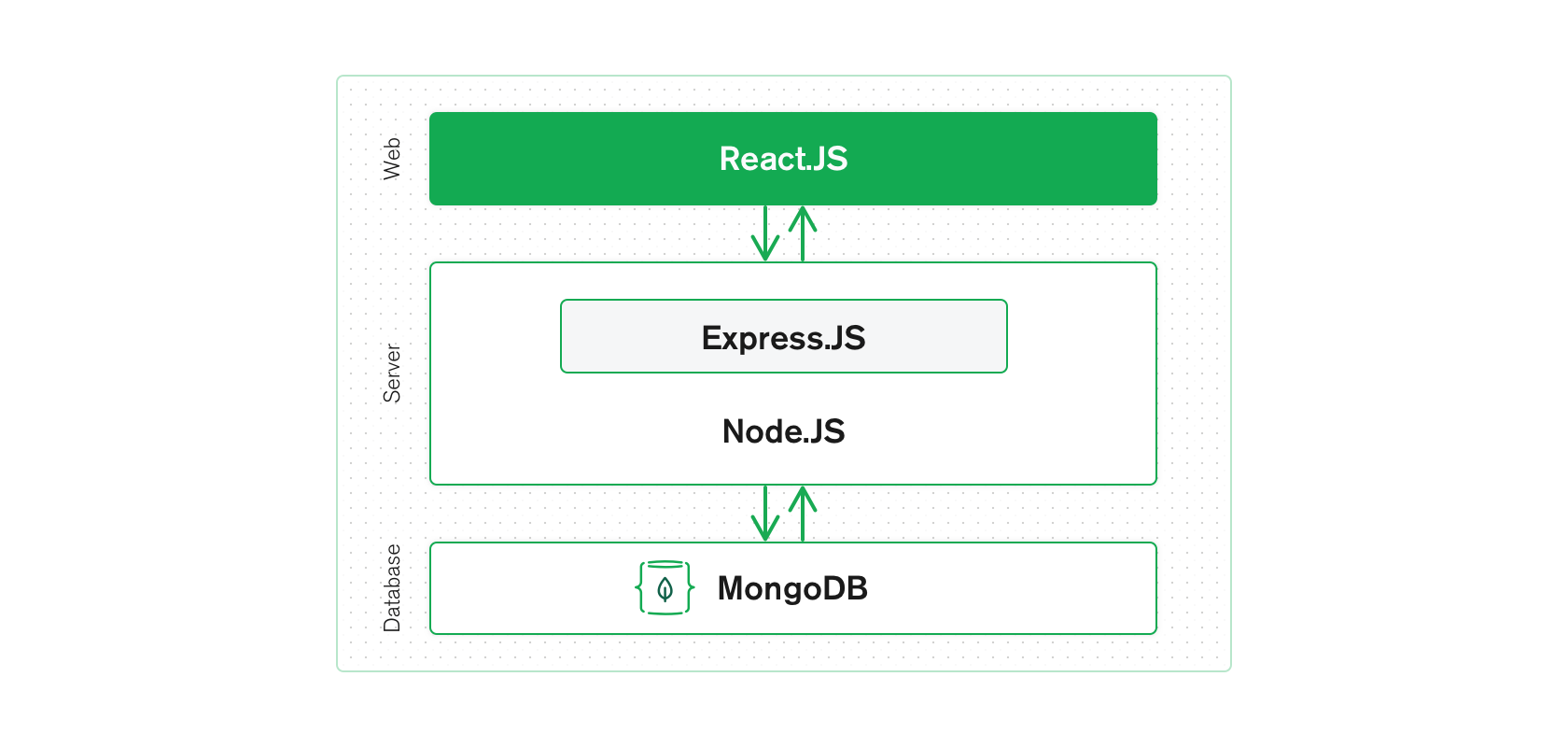
MERN is one of several variations of the MEAN stack (MongoDB Express Angular Node), where the traditional Angular.js frontend framework is replaced with React.js. Other variants include MEVN (MongoDB, Express, Vue, Node), and really any frontend JavaScript framework can work.
Note: JavaScript(ECMAScript) and Typescript(Superset of JS) forms the base of most of mentioned technologies e.g React is a library of JS, Angular is based on TypeScript etc.
Express and Node make up the middle (application) tier. Express.js is a server-side web framework, and Node.js the popular and powerful JavaScript server platform. Regardless of which variant you choose, ME(RVA)N is the ideal approach to working with JavaScript and JSON, all the way through
The MERN architecture allows you to easily construct a 3-tier architecture (frontend, backend, database) entirely using JavaScript and JSON.

NodeJS is JavaScript based platform.It is used to build IO intensive web-application like video streaming sites, single-page applications, and other web applications.
Node.js = Runtime Environment + JavaScript Library
It is not advisable to use Node.js for CPU intensive applications.
Environment setup:
You require just two thing to set nodeJS up and running & ready to develop :
Set the Environment variable in windows to point to bin: e.g C:\Program Files\nodejs\bin
To check if installed properly: use command
node -version or node -v
NodeJS Runtime:
The source code written in source file is simply JavaScript. The Node.js interpreter will be used to interpret and execute your JavaScript code
 Techglot