Other server-less- step-function and AppSync
Step Functions Overview
- Model your workflows as state machines (one per workflow)
- Order fulfillment, Data processing
- Web applications, Any workflow
- Written in JSON
- Visualization of the workflow and the execution of the workflow, as well as history.
- Start workflow with SDK call, API Gateway, Event Bridge (CloudWatch Event)
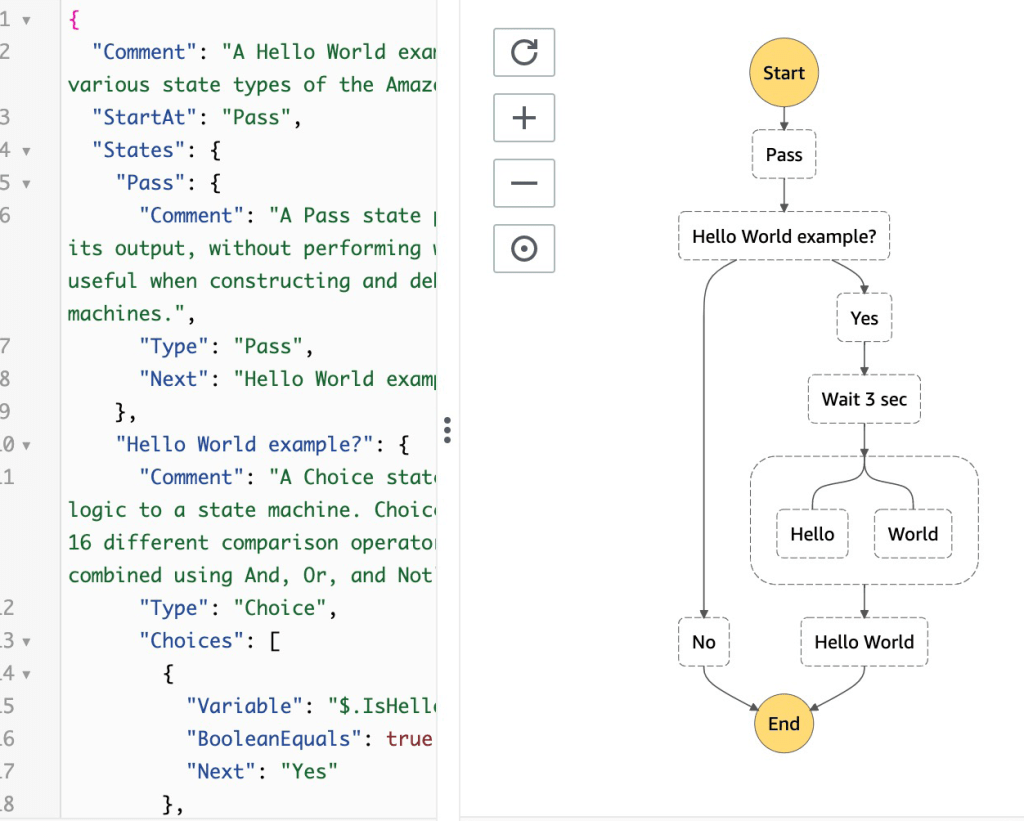
Step Function – Task States
- Do some work in your state machine
- Invoke one AWS service
- Can invoke a Lambda function
- • Run an AWS Batch job
- • Run an ECS task and wait for it to complete
- • Insert an item from DynamoDB
- • Publish message to SNS, SQS
- • Launch another Step Function workflow
- Run an one Activity
- EC2, Amazon ECS, on-premises
- • Activities poll the Step functions for work
- • Activities send results back to Step Functions
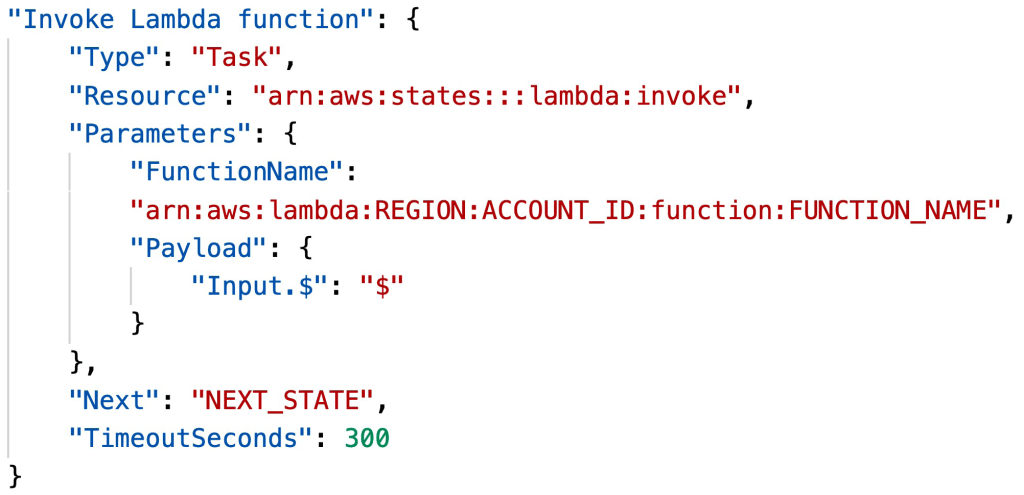
Step Function – States
- Choice State – Test for a condition to send to a branch (or default branch)
- Fail or Succeed State – Stop execution with failure or success
- Pass State – Simply pass its input to its output or inject some fixed data. without performing work.
- Wait State – Provide a delay for a certain amount of time or until a specified time/date.
- Map State – Dynamically iterate steps.’
- Parallel State – Begin parallel branches of execution
Step Functions – Error Handling
- Any state can encounter runtime errors for various reasons
- State machine definition issues (for example, no matching rule in a Choice state)
- Task failures (for example, an exception in a Lambda function)
- Transient issues (for example, network partition events)
- Use Retry (to retry failed state) and Catch (transition to failure path) in the State Machine to handle the errors instead of inside the Application Code
- Predefined error codes:
- States.ALL : matches any error name
- States.Timeout: Task ran longer than TimeoutSeconds or no heartbeat received
- States.TaskFailed: execution failure
- States.Permissions: insufficient privileges to execute code
- The state may report is own errors
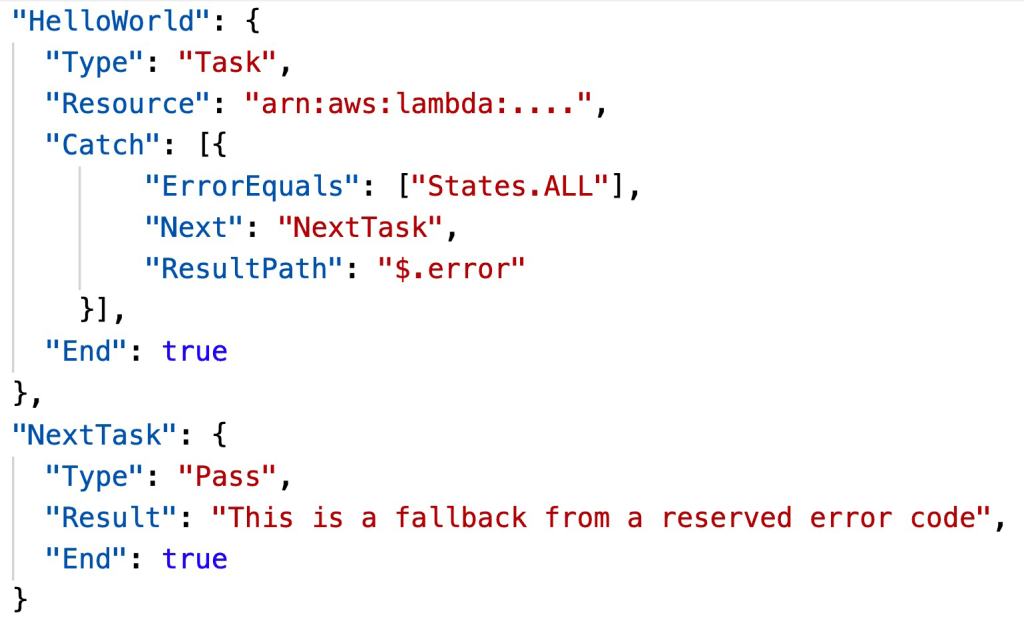
Step Functions – Retry (Task or Parallel State)
- Evaluated from top to bottom
- ErrorEquals: match a specific kind of error
- IntervalSeconds: initial delay before retrying
- BackoffRate: multiple the delay after each retry
- MaxAttempts: default to 3, set to 0 for never retried
- When max attempts are reached, the Catch kicks in
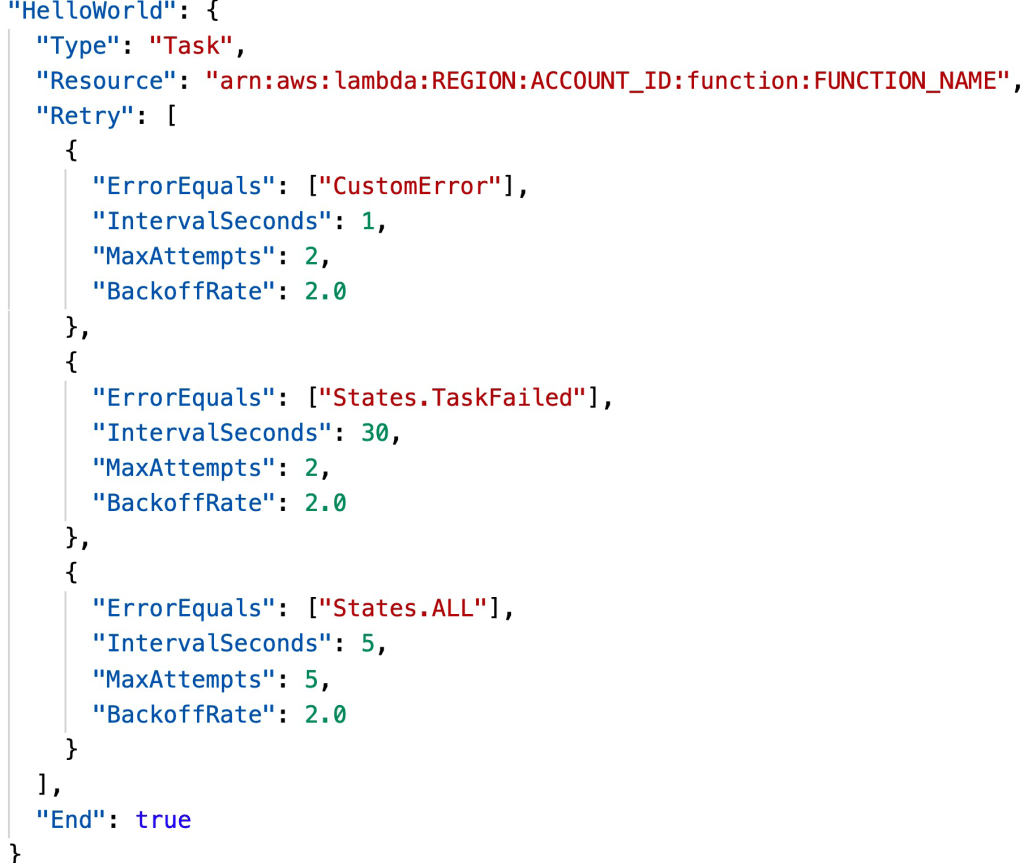
Step Functions – Catch (Task or Parallel State)
- Evaluated from top to bottom
- ErrorEquals: match a specific kind of error
- Next: State to send to
- ResultPath – A path that determines what input is sent to the state specified in the Next field.
Step Function – ResultPath
- Include the error in the input
Step Functions – Standard vs Express
| Standard Workflows | Express Workflows | |
|---|---|---|
| Maximum duration | 1 year. | 5 minutes. |
| Supported execution start rate | Over 2,000 per second | Over 100,000 per second |
| Supported state transition rate | Over 4,000 per second per account | Nearly unlimited |
| Pricing | Priced per state transition. A state transition is counted each time a step in your execution is completed (more expensive) | Priced by the number of executions you run, their duration, and memory consumption (cheaper) |
| Execution history | Executions can be listed and described with Step Functions APIs, and visually debugged through the console. They can also be inspected in CloudWatch Logs by enabling logging on your state machine. | Executions can be inspected in CloudWatch Logs by enabling logging on your state machine. |
| Execution semantics | Exactly-once workflow execution | At-least-once workflow execution |
AppSync Overview
- AppSync is a managed service that uses GraphQL
- GraphQL makes it easy for applications to get exactly the data they need
- This includes combining data from one or more sources
- NoSQL data stores, Relational databases, HTTP APIs…
- Integrates with DynamoDB, Aurora, Elasticsearch & others
- Custom sources with AWS Lambda
- Retrieve data in real-time with WebSocket or MQTT on WebSocket
- For mobile apps: local data access & data synchronization
- It all starts with uploading one GraphQL schema
AppSync – Security
- There are four ways you can authorize applications to interact with your AWS AppSync GraphQL API:
- API_KEY
- AWS_IAM: IAM users / roles / cross-account access
- OPENID_CONNECT: OpenID Connect provider / JSON Web Token
- AMAZON_COGNITO_USER_POOLS
- For custom domain & HTTPS, use CloudFront in front of AppSync

 Techglot